
Fix Mobile Signal Problems in the UK - Sim Only Offers
Struggling with mobile signal problems in the UK? Discover the 7 real causes & quick fixes to boost your signal instantly. Find better SIM deals today
4/22/20266 min read
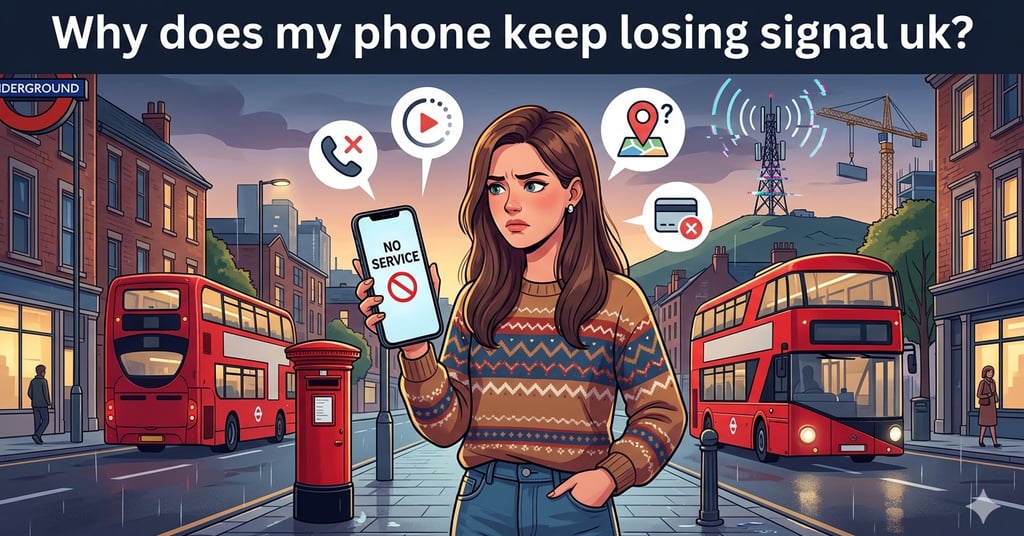
You've got full signal one second… then No Service the next. Sound familiar? You're mid-call and the line drops. You're navigating somewhere new and Google Maps freezes. You try to tap your phone at the checkout and the payment just… fails. It's one of the most frustrating things about owning a smartphone in 2025 and millions of people across the UK deal with mobile signal problems every single day.
The good news? It's usually fixable. But first, you need to understand why it's happening.
The truth is: it's rarely just your phone. Mobile signal problems in the UK come from a mix of where you are, which network you're on, and sometimes even the weather. Let's break it all down
Why Do You Keep Getting Mobile Signal Problems?
Mobile signal problems aren't random; they have real, specific causes. Understanding them is the first step to solving them. Here are the most common reasons your phone signal keeps dropping in the UK:
1. Weak Coverage Areas
The UK has fantastic coverage in city centres, but once you get into rural areas think the Scottish Highlands, rural Wales, or deep countryside in England mobile signal problems become the norm, not the exception. Even between towns, you can hit notorious "not spots" where the signal simply doesn't reach. If you're frequently in these areas, your provider's coverage map matters enormously.
2. Network Congestion
Ever noticed your signal looks fine but nothing loads? That's congestion. In busy areas central London at rush hour, music festivals, football matches thousands of people are all hitting the same masts simultaneously. The result? Slow data, dropped calls, and weak mobile signal even when the bars look healthy. This is one of the most overlooked causes of mobile signal problems.
3. Buildings and Underground Areas
Thick concrete walls, metal structures, and underground spaces absolutely kill signals. If you're in a basement flat, a large office building, or famously on the London Underground, don't expect great coverage. No service on phone situations in the Tube are almost guaranteed on many lines, though some stations and lines now have partial 4G coverage.
4. Switching Between 4G and 5G
As 5G rolls out across the UK, phones sometimes struggle during the handover between 4G and 5G towers. If your phone constantly switches between them, you can experience brief drops, a very common cause of phone signal keeps dropping on newer devices.
5. Weather (Yes, Really)
Most people don't expect this, but heavy rain, thick fog, and atmospheric pressure changes can genuinely impact signal quality, particularly mobile data speeds. It's not as dramatic as losing all signal, but it's a real contributing factor to mobile signal problems that many providers quietly acknowledge.
6. SIM Card or Phone Issues
Sometimes it is your phone or SIM. A dirty or slightly dislodged SIM card, outdated software, or a faulty antenna can all cause a weak mobile signal. These are the easiest fixes and we'll cover them below.
The UK-Specific Signal Problem
The UK's signal landscape is unique. You have four main networks EE, O2, Vodafone, and Three each with different strengths, and mobile signal problems often come down to simply being on the wrong network for where you live or work.
In the UK, each mobile network has its own strengths and weaknesses. EE is known for offering the best overall coverage in rural areas, although it can be more expensive compared to other providers. O2 provides strong coverage in urban areas and performs well indoors, but it may have gaps in some rural regions. Vodafone stands out for its solid 5G rollout in cities; however, its coverage can be patchy in more remote parts of Scotland and Wales. Three is popular for its excellent data speeds and great value plans, though it tends to have weaker coverage in rural areas.
If you're experiencing bad phone signal in rural Scotland, remote Wales, or the English countryside, EE typically comes out on top. In urban areas, the differences narrow significantly but congestion varies. Weak mobile signal at home could simply mean your provider has a gap in your specific postcode.
Pro tip: Always check your provider's actual coverage map using your postcode not just the general map. Ofcom's Connected Nations report also gives an independent view of UK coverage by network.
7 Quick Fixes to Improve Your Phone Signal Right Now
Before you switch networks or buy a new phone, try these. Most cases of mobile signal problems can be resolved in under two minutes:1
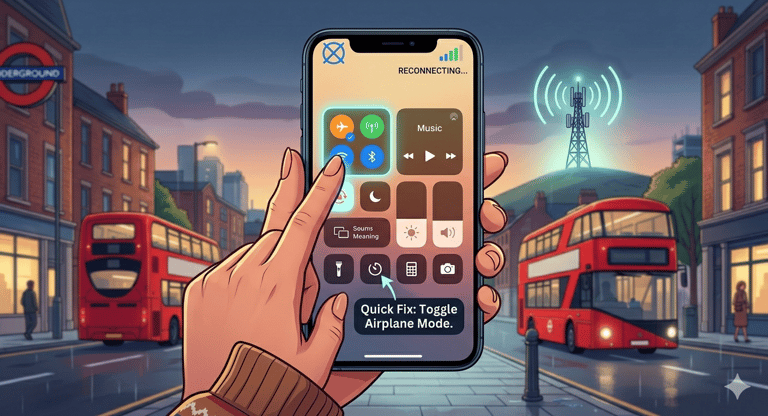
1.Toggle Airplane Mode
Turn it on for 10 seconds, then off. Forces your phone to reconnect to the nearest tower often solves weak signal instantly.
2.Restart Your Phone
Simple but effective. A full reboot clears background processes and resets your network connection.
3.Switch Between 4G and 5G
Go into settings and manually select 4G only. This stops your phone constantly hunting for 5G signal in areas where it's patchy.
4.Check for Network Outages
Search "[your network] outage UK" or check Downdetector. Your signal problem might affect thousands of others right now.
5.Update Your Phone's Software
Outdated software causes more mobile signal problems than most people realise. Check for updates in your settings.
6.Remove and Reinsert Your SIM
A slightly dislodged or dirty SIM is a surprisingly common cause of no service on phone situations.
7.Enable WiFi Calling
If you're at home with poor signal but good broadband, WiFi calling routes your calls over the internet. All major UK networks support it.
Is It Your Network Or Your Phone?
Before assuming the worst, work through this quick checklist to identify the real source of your mobile signal problems:
Does the weak mobile signal happen everywhere, or only in specific locations?
Do friends or family on the same network have the same issue in the same spot?
Did the problem start after a software update or physical drop?
Does WiFi calling work fine? (If yes, the phone's hardware is likely fine it's coverage.)
Does the no signal on phone issue happen only indoors, or outdoors too?
Have you recently moved home or changed your routine to a new area?
If most of your answers point outward to locations and network rather than the device itself then your mobile signal problems are almost certainly a coverage issue, not a hardware one.
Things You Didn't Know Are Causing Your Signal Problems
Some causes of bad phone signal are genuinely surprising. These are the ones most people never think to check:
Your phone case thick rubber or metal cases can genuinely interfere with antenna reception
Battery saving mode limits background processes including network scanning
Software bugs a bad update can cause why is my mobile data not working issues across thousands of devices overnight
Too many users on one mast especially at events, stadiums, and commuter hotspots
Weather heavy rain and fog genuinely affect signal quality, especially data speeds
New buildings nearby construction can physically block signal paths to your home or office
Identifying the unexpected cause of your weak mobile signal can save you from switching networks or buying a new phone unnecessarily.
Could Switching Networks Actually Fix Your Signal?
Sometimes, the answer to mobile signal problems is simply being on the wrong network for your location. This is more common than most people realise especially in the UK, where coverage between providers can vary significantly within the same postcode.
The best thing you can do is check coverage maps properly. Each network has a postcode checker, and it takes 30 seconds. If a competing network shows significantly better coverage in the areas you spend most of your time, switching may be the only real fix.
Here's something worth knowing: switching networks has never been easier or cheaper. SIM-only deals let you keep your phone and number, move onto a plan that actually works in your area, and often pay considerably less than you're paying now. Many SIM-only contracts are rolling monthly so there's no long-term risk.
If you're paying for a poor signal, you're effectively paying for nothing. A SIM-only switch to a better-coverage network could improve your signal and reduce your monthly bill at the same time. That's a win on both fronts
Whether you're dealing with phone signal keeps dropping in a rural area or chronic mobile signal problems in a specific building, checking whether a different network performs better is always worth doing before paying for hardware upgrades or boosters.
FAQ’S
Why does my phone lose signal at home but not outside?
Building materials especially older brick, concrete, and metal block radio waves. If your home has thick walls, a basement level, or sits in a slight dip in the landscape, signal struggles to penetrate. The fix is usually WiFi calling or a signal booster, or switching to a network with stronger indoor penetration (O2 and EE tend to score well here).
Why is my mobile signal worse at night?
This sounds odd, but it's a real phenomenon. At night, atmospheric conditions change in a way that can actually cause signals from distant masts to interfere with your local ones causing congestion or signal confusion. Some networks also do maintenance and tower updates overnight, which can temporarily affect coverage in certain areas.
Does 5G cause worse signal than 4G?
Not exactly but in areas where 5G coverage is patchy, your phone constantly switching between 5G and 4G can cause brief drops and instability. If you're experiencing mobile signal problems on a newer 5G-capable phone, try setting your network mode to 4G only in your settings to see if it improves stability.
Which UK network has the best coverage overall?
EE consistently tops independent coverage tests for rural and geographic coverage across the UK, including Scotland and Wales. O2 and Vodafone perform strongly in urban areas, while Three offers great data speeds in cities. However, the "best" network always depends on where you specifically spend your time checking coverage maps by postcode is far more reliable than general rankings
SIM ONLY OFFERS
Get in touch for more information today.
Follow
info@simonlyoffers.co.uk
© 2026. All rights reserved.
Support