
How to Reduce Mobile Data Usage - SIM Only Offers
Learn how to reduce mobile data usage with simple tips. Save data, control apps, and avoid extra charges without changing your mobile plan.
4/15/20264 min read
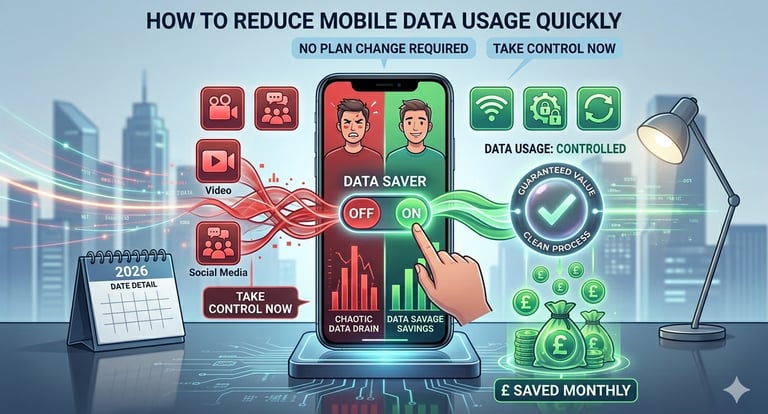
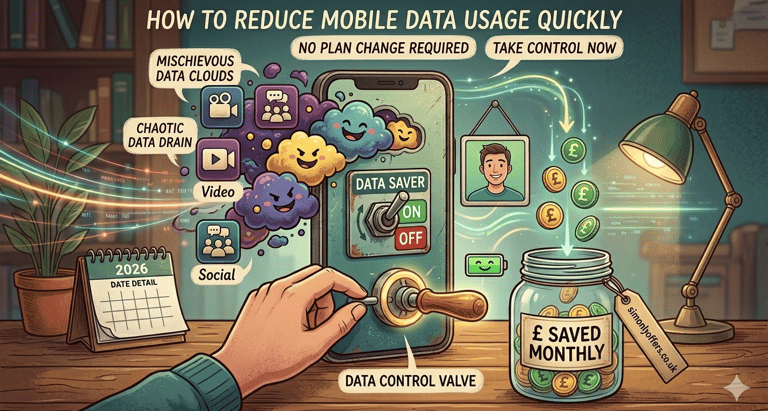
Running out of data before the end of the month can be frustrating especially if you’re not ready to upgrade your plan. The good news is that you can reduce mobile data usage without spending extra money.
In this guide, you’ll learn how to control data usage, control your apps, and use simple techniques to stay within your limits while still enjoying your phone.
Why You Should Reduce Mobile Data Usage
Learning to limit mobile data helps you:
Avoid extra charges
Stay within your plan limits
Improve your phone’s performance
Save battery life
Many users don’t realize how quickly apps consume data, which is why understanding how to stop using too much data is essential.
How to Check Data Usage on Your Phone
Before you can control data usage, you need to know where your data is going.
How to monitor your usage:
Go to your phone settings
Open “Data Usage” or “Mobile Network”
View which apps consume the most data
This helps you monitor mobile data usage and identify problem apps.
Apps That Use the Most Data
Some apps are known for high data consumption. These include:
Video streaming apps (YouTube, Netflix)
Social media (Instagram, TikTok)
Music streaming services
Background syncing apps
Identifying apps that use most data is a key step to reduce data consumption effectively.
Apps like YouTube, TikTok, and Instagram can consume large amounts of mobile data due to auto-play videos and background refresh.
For example, watching just 10 minutes of HD video can use over 100MB of data.
Enable Data Saver Mode
One of the easiest ways to save mobile data is by turning on data saver mode.
What it does:
Limits background activity
Reduces app data usage
Helps you control your data
Most Android and iPhone devices include this feature, making it a simple solution for better mobile data control.
Limit Background Data Usage
Many apps use data even when you’re not using them. To fix this:
Go to app settings
Select apps individually
Turn on limit background data usage
This is one of the most effective ways to reduce mobile data usage and prevent hidden data drain.
Restrict App Data Usage
Another useful method is to restrict app data usage for apps that don’t need constant internet access.
For example:
Disable auto-play on social media
Turn off automatic updates
Limit cloud syncing
These steps help you reduce internet usage and keep your data under control.
How to Reduce Data Usage on Android
If you’re using Android, here’s how to reduce data consumption:
Enable data saver mode
Restrict background apps
Turn off auto-sync
Use Wi-Fi whenever possible
Android gives you strong tools for mobile data control, making it easier to manage your usage.
How to Reduce Data Usage on iPhone
For iPhone users, here’s how to reduce data consumption:
Turn off background app refresh
Disable mobile data for specific apps
Use Low Data Mode
Limit streaming quality
These steps are simple but very effective for those wondering how to use less data on mobile.
Extra Tips to Save Mobile Data
If you want to go further and save mobile data, try these tips:
Download content over Wi-Fi
Use offline modes for apps
Avoid HD streaming on mobile data
Turn off automatic backups on mobile data
These habits help you how to save mobile data without changing your plan.
Common Mistakes That Increase Data Usage
Even small mistakes can increase your data usage:
Leaving apps running in the background
Streaming videos in high quality
Not checking usage regularly
Ignoring updates to data settings
Avoiding these mistakes will help you reduce data consumption and stay within your limits.
How to Use Less Data on Mobile Every Day
If you’re still wondering how to reduce mobile data usage, the answer is consistency.
Check your usage weekly
Adjust settings regularly
Be aware of high-data apps
By building these habits, you can easily reduce mobile data usage without sacrificing your experience.
Learning how to reduce mobile data usage is one of the best ways to save money and improve your phone experience. By monitoring your usage, limiting background activity, and using tools like data saver mode, you can take full control of your data.
Whether you’re trying to reduce internet usage, manage apps, or improve mobile data control, these simple steps will help you stay within your plan without upgrading.
FAQs
How can I reduce mobile data usage quickly?
To quickly reduce data consumption, start by enabling data saver mode on your phone, which limits background activity. You should also lower video streaming quality, turn off auto-play on social media apps, and disable automatic updates over mobile data. These small changes can significantly reduce how much data your phone uses daily.
What apps use the most mobile data?
Apps that use the most data are typically video streaming platforms like YouTube and Netflix, social media apps like Instagram and TikTok, and cloud-based services. These apps consume large amounts of data due to video content, auto-play features, and background syncing. Identifying these apps helps you better manage and reduce mobile data usage.
How can I save mobile data without Wi-Fi?
If you don’t have access to Wi-Fi, you can still reduce mobile data usage by restricting background data for apps, using offline modes, and downloading content in advance. You can also disable unnecessary notifications and reduce app refresh frequency to save more data.
How do I check data usage on my phone?
To monitor your usage, go to your phone’s settings and open the “Data Usage” or “Mobile Network” section. There, you can see how much data you’ve used and which apps are consuming the most. Regularly checking this helps you track patterns and take steps to reduce mobile data usage effectively.
SIM ONLY OFFERS
Get in touch for more information today.
Follow
info@simonlyoffers.co.uk
© 2026. All rights reserved.
Support